
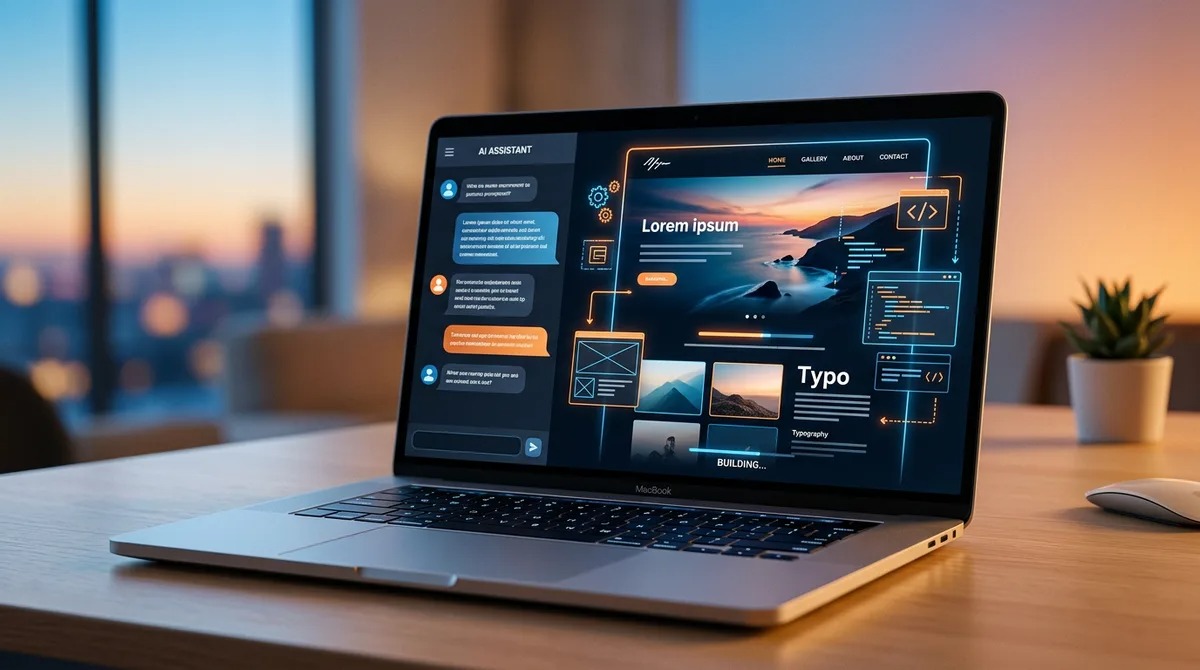

Best AI Website Builders in 2026: Ultimate Guide
The best AI website builders in 2026 include Wix AI, Hostinger Horizons, Squarespace Blueprint AI, Framer AI, Webflow AI, Durable, 10Web, ZipWP, Jimdo Dolphin, and Bookmark AIDA. These AI-powered website builders help individuals and businesses create professional websites using artificial intelligence, often reducing the need for coding or extensive design experience.
Whether you’re a beginner, entrepreneur, freelancer, agency, developer, small business owner, or enterprise organization, the best AI website builder depends on your goals, customization requirements, scalability, integrations, SEO features, design flexibility, and budget.
Introduction
Building a professional website has traditionally required web design skills, coding knowledge, significant time, or expensive development services.
Artificial intelligence is changing that.
Modern AI website builders can generate layouts, write website copy, recommend images, create landing pages, optimize designs, improve user experience, and even assist with SEO using only a few prompts.
Instead of spending weeks designing a website from scratch, businesses and creators can launch functional websites in hours while still maintaining flexibility for future customization.
From personal portfolios and business websites to online stores, agency sites, landing pages, and blogs, AI-powered website builders are making web development faster and more accessible than ever.
This comprehensive guide compares the best AI website builders in 2026 based on design quality, AI capabilities, ease of use, SEO features, customization, scalability, integrations, performance, pricing value, and overall user experience.
Why AI Website Builders Matter
Every business, creator, freelancer, and organization benefits from a strong online presence.
However, traditional website development can require:
- Coding knowledge
- Design expertise
- Copywriting
- SEO optimization
- Performance tuning
- Mobile responsiveness
- Ongoing maintenance
- Significant financial investment
AI website builders simplify these challenges by helping users:
- Build websites automatically
- Generate layouts
- Write content
- Design pages
- Optimize SEO
- Improve accessibility
- Create responsive websites
- Launch websites faster
- Update content easily
- Reduce development costs
This allows businesses to focus more on growth, branding, customer experience, and digital marketing.
What Are AI Website Builders?
AI website builders are web development platforms that use artificial intelligence to help users create, customize, and optimize websites with minimal manual effort.
Instead of designing every section manually, users answer a few questions or enter prompts describing their business, goals, or preferences.
The AI then helps generate:
- Website layouts
- Homepages
- Landing pages
- Service pages
- Blog pages
- Images
- Website copy
- Navigation
- Calls to action
- SEO recommendations
Many platforms also include editing tools so users can customize the generated website after creation.
How AI Website Builders Work
Modern AI website builders combine several advanced technologies.
These include:
- Large Language Models (LLMs)
- Generative AI
- Machine Learning
- Website Templates
- Computer Vision
- Natural Language Processing
- UX Optimization
- Responsive Design Systems
- SEO Automation
- AI Content Generation
A typical AI website creation workflow includes:
- Describe your business or project.
- Choose website goals.
- Select preferred design style.
- Generate website structure.
- Create pages automatically.
- Generate website copy.
- Add AI-generated visuals or media.
- Customize colors, fonts, and branding.
- Optimize SEO and responsiveness.
- Publish the finished website.
Benefits of AI Website Builders
AI-powered website builders help individuals and businesses launch professional websites more efficiently.
Faster Website Creation
Generate complete websites within hours instead of weeks.
Lower Development Costs
Reduce the need for custom development in many common website projects.
Beginner-Friendly
Allow users without coding experience to create professional websites.
Built-In SEO Assistance
Many platforms include AI-powered recommendations for on-page optimization.
Responsive Design
Generate layouts that adapt across desktop, tablet, and mobile devices.
Easier Content Creation
Assist with headlines, page copy, calls to action, and blog content.
Continuous Improvement
Many AI builders help optimize layouts and user experience over time.
Responsible Use of AI Website Builders
Artificial intelligence can accelerate website creation, but thoughtful human review remains important.
Recommended best practices include:
- Verify AI-generated facts and business information.
- Review website copy before publishing.
- Maintain accessibility standards.
- Protect user privacy.
- Follow copyright and licensing requirements.
- Ensure branding consistency.
- Optimize security settings.
- Test websites across devices.
- Review SEO recommendations.
- Keep website content updated regularly.
Responsible use of AI helps improve quality, trust, and long-term website performance.
How We Evaluated the Best AI Website Builders
Every platform was evaluated using practical criteria relevant to businesses, freelancers, agencies, creators, developers, and enterprise organizations.
AI Capabilities
How effectively does the platform automate website creation and editing?
Ease of Use
Can beginners launch a professional website with minimal learning?
Design Quality
Are the generated websites visually modern and customizable?
SEO Features
Does the platform support technical and on-page SEO best practices?
Customization
Can users personalize layouts, branding, and functionality?
Performance
Does the platform generate responsive, fast-loading websites?
Integrations
Does it connect with marketing, analytics, e-commerce, and business tools?
Overall Value
Does the platform provide a strong balance of AI features, flexibility, and pricing?
Comparison Table: Best AI Website Builders in 2026
| AI Website Builder | Best For | Editorial Rating |
|---|---|---|
| Wix AI | Best Overall | ⭐⭐⭐⭐⭐ |
| Hostinger Horizons | AI Website Creation | ⭐⭐⭐⭐⭐ |
| Squarespace Blueprint AI | Design Quality | ⭐⭐⭐⭐⭐ |
| Framer AI | Landing Pages | ⭐⭐⭐⭐☆ |
| Webflow AI | Professional Designers | ⭐⭐⭐⭐☆ |
| Durable | Small Businesses | ⭐⭐⭐⭐☆ |
| 10Web | WordPress Websites | ⭐⭐⭐⭐☆ |
| ZipWP | AI WordPress Setup | ⭐⭐⭐⭐☆ |
| Jimdo Dolphin | Beginners | ⭐⭐⭐⭐☆ |
| Bookmark AIDA | Fast Website Creation | ⭐⭐⭐⭐☆ |
Wix AI Review
Why Wix AI Is Our Editor’s Pick
Wix AI combines artificial intelligence with one of the most mature website building ecosystems available today.
Instead of starting with a blank canvas, users answer a few questions about their business, industry, goals, and design preferences. The AI then generates a professional website that can be customized further using Wix’s visual editor.
Its combination of AI-powered design, content generation, SEO tools, business integrations, e-commerce capabilities, and scalability makes it suitable for freelancers, entrepreneurs, agencies, small businesses, creators, and growing organizations.
What Makes Wix AI Different?
Wix AI provides an end-to-end website creation experience.
Users commonly rely on it for:
- Business websites
- Personal portfolios
- Landing pages
- Blogs
- Online stores
- Appointment booking
- Restaurant websites
- Service businesses
- Marketing websites
- Professional portfolios
Who Should Use Wix AI?
Wix AI performs particularly well for:
Small Businesses
Launch professional websites quickly.
Entrepreneurs
Build branded online businesses.
Freelancers
Create portfolio and service websites.
Content Creators
Develop blogs and personal brands.
Growing Companies
Scale websites with additional business features.
Major Strengths
Powerful AI Website Creation
Generate complete websites from simple prompts.
Easy Visual Editor
Customize designs without coding.
Built-In SEO Tools
Support search engine optimization from the start.
Business Integrations
Connect marketing, scheduling, payments, and analytics.
Excellent Scalability
Grow from a simple website to a larger online business.
Why Wix AI Is Ranked #1
Wix AI delivers an outstanding balance of AI automation, design flexibility, ease of use, business functionality, and long-term scalability, making it our top overall recommendation for most users.
Hostinger Horizons Review
Why Hostinger Horizons Is Built for Rapid Website Creation
Hostinger Horizons focuses on helping users generate functional websites quickly through AI-assisted design and content generation.
Its streamlined workflow reduces technical barriers by combining AI-powered website creation with hosting, deployment, and website management in a single platform.
This makes it particularly attractive for entrepreneurs, startups, freelancers, creators, and small businesses looking to establish an online presence with minimal complexity.
Hostinger Horizons Review (Continued)
What Makes Hostinger Horizons Different?
Hostinger Horizons combines AI-assisted website creation with integrated hosting and deployment, making it easy for users to move from an idea to a published website.
Professionals commonly use it for:
- Business websites
- Startup websites
- Landing pages
- Personal portfolios
- Service businesses
- Company websites
- Marketing pages
- Online booking
- Small business websites
- Professional websites
The platform focuses on reducing setup complexity while helping users launch websites quickly.
Who Should Use Hostinger Horizons?
Hostinger Horizons performs particularly well for:
Entrepreneurs
Launch new business websites rapidly.
Freelancers
Create professional online portfolios.
Small Businesses
Develop websites without hiring developers.
Startups
Validate ideas with fast website deployment.
Beginners
Build websites with minimal technical knowledge.
Major Strengths
Fast Website Creation
Generate websites efficiently.
Integrated Hosting
Manage creation and hosting from one platform.
AI Content Assistance
Accelerate page creation.
Beginner-Friendly Workflow
Reduce technical barriers.
Affordable Website Building
Provide accessible website creation for growing businesses.
Limitations
Organizations requiring extensive custom development or highly specialized functionality may benefit from more developer-focused platforms.
Final Verdict on Hostinger Horizons
Hostinger Horizons is one of the best AI website builders for entrepreneurs, startups, freelancers, and small businesses seeking rapid website creation.
Squarespace Blueprint AI Review
Why Squarespace Blueprint AI Excels in Design
Squarespace Blueprint AI helps users create visually polished websites by combining AI-assisted recommendations with professionally designed layouts.
Rather than generating random designs, the platform guides users through business goals, branding preferences, page requirements, and visual style before assembling a personalized website structure.
Its emphasis on premium aesthetics makes it especially attractive for creative professionals and brands.
What Makes Squarespace Blueprint AI Different?
Squarespace Blueprint AI focuses on guided website planning and premium design.
Professionals commonly use it for:
- Business websites
- Creative portfolios
- Photography websites
- Blogs
- Personal brands
- Restaurants
- Professional services
- Small business websites
- Online stores
- Agency websites
Who Should Use Squarespace Blueprint AI?
Squarespace Blueprint AI performs particularly well for:
Designers
Create visually impressive websites.
Photographers
Showcase professional portfolios.
Creatives
Build elegant personal brands.
Small Businesses
Launch premium-looking websites.
Agencies
Develop polished client websites.
Major Strengths
Excellent Visual Design
Produce modern professional layouts.
Guided Website Planning
Simplify the design process.
Strong Branding Support
Maintain visual consistency.
Responsive Templates
Deliver mobile-friendly experiences.
Professional Appearance
Ideal for premium brands.
Limitations
Highly customized developer workflows may require platforms offering deeper code-level flexibility.
Final Verdict on Squarespace Blueprint AI
Squarespace Blueprint AI is one of the best AI website builders for premium design, creative portfolios, branding, and visually polished business websites.
Framer AI Review
Why Framer AI Is Popular for Modern Landing Pages
Framer AI combines artificial intelligence with advanced visual web design to help users generate responsive websites and landing pages quickly.
Its focus on speed, animation, clean layouts, and modern user interfaces makes it particularly popular among startups, SaaS companies, designers, agencies, and product teams.
What Makes Framer AI Different?
Framer AI specializes in high-performance modern websites.
Professionals commonly use it for:
- Landing pages
- Startup websites
- SaaS websites
- Product launches
- Portfolio websites
- Marketing campaigns
- Company websites
- Personal brands
- Event pages
- Business websites
Who Should Use Framer AI?
Framer AI performs particularly well for:
SaaS Companies
Launch product websites efficiently.
Startups
Build modern landing pages.
Designers
Create visually engaging interfaces.
Agencies
Develop client marketing websites.
Entrepreneurs
Publish professional online businesses.
Major Strengths
AI Layout Generation
Accelerate website creation.
Beautiful Modern Design
Produce visually appealing websites.
Responsive Performance
Optimize layouts across devices.
Fast Publishing
Reduce launch time.
Creative Flexibility
Customize visual experiences.
Limitations
Very large enterprise websites or highly customized web applications may require additional development tools.
Final Verdict on Framer AI
Framer AI is one of the best AI website builders for startups, SaaS businesses, agencies, landing pages, and modern web design.
Webflow AI Review
Why Webflow AI Appeals to Professional Designers
Webflow AI combines AI-assisted design with one of the most powerful visual website development platforms available.
Rather than replacing professional designers, it helps automate repetitive tasks while maintaining extensive creative control.
This balance makes Webflow AI especially valuable for agencies, developers, professional designers, and organizations requiring sophisticated websites.
What Makes Webflow AI Different?
Webflow AI combines visual development with AI productivity.
Professionals commonly use it for:
- Professional websites
- Corporate websites
- Marketing websites
- Landing pages
- Agency projects
- Portfolio websites
- Content-rich websites
- CMS-driven websites
- Client websites
- Advanced web design
Who Should Use Webflow AI?
Webflow AI performs particularly well for:
Professional Designers
Maintain creative flexibility.
Agencies
Develop complex client projects.
Marketing Teams
Create scalable campaigns.
Developers
Accelerate production workflows.
Growing Businesses
Build scalable digital experiences.
Major Strengths
Professional Design Flexibility
Support advanced website customization.
AI Productivity
Automate repetitive design tasks.
Powerful CMS
Manage content efficiently.
Responsive Design
Deliver optimized experiences across devices.
Enterprise Scalability
Support growing organizations.
Limitations
Beginners may face a steeper learning curve compared with simpler AI website builders.
Final Verdict on Webflow AI
Webflow AI is one of the best AI website builders for agencies, designers, developers, and businesses requiring advanced customization.
Comparing Leading AI Website Builders
Wix AI vs Squarespace Blueprint AI
Wix AI offers a broad ecosystem with extensive business features, while Squarespace Blueprint AI focuses on premium visual design and guided website planning.
Framer AI vs Webflow AI
Framer AI emphasizes rapid creation of modern landing pages and marketing websites, whereas Webflow AI provides greater flexibility for complex projects and advanced visual development.
Hostinger Horizons vs Wix AI
Hostinger Horizons prioritizes simplicity and fast deployment, while Wix AI offers a more extensive collection of business tools, integrations, and long-term scalability.
Squarespace Blueprint AI vs Framer AI
Squarespace Blueprint AI is ideal for polished brand websites and creative portfolios, while Framer AI excels at interactive startup websites and landing pages.
Webflow AI vs Wix AI
Webflow AI provides deeper customization for experienced designers and agencies, while Wix AI offers an easier workflow suitable for a wider range of users.
Practical AI Website Creation Workflow
Many professionals combine AI tools with traditional editing for better results.
An example workflow includes:
- Wix AI to generate the initial website structure.
- Framer AI for high-converting landing pages and marketing campaigns.
- Webflow AI for advanced customization and CMS-driven content.
- Squarespace Blueprint AI for visually polished portfolio or brand pages.
- Hostinger Horizons for rapid website launches and hosting integration.
Combining complementary tools helps balance speed, design quality, flexibility, and long-term scalability.
Responsible Use of AI Website Builders
AI-generated websites should always be reviewed before publication.
Recommended best practices include:
- Verify all AI-generated facts and business information.
- Review website copy for accuracy and brand voice.
- Test layouts across multiple devices.
- Optimize accessibility for all users.
- Configure security settings properly.
- Review SEO recommendations.
- Monitor website performance regularly.
- Keep plugins and integrations updated.
- Protect customer data and privacy.
- Use AI to accelerate website creation while relying on human oversight for quality, compliance, and strategic decisions.
Durable Review
Why Durable Is Built for Small Businesses
Durable focuses on helping entrepreneurs and small businesses create professional websites in minutes using AI-powered automation.
Instead of spending hours selecting templates and writing content, users simply answer a few questions about their business, and Durable generates a functional website complete with business-focused sections, copy, and design.
Its emphasis on speed and simplicity makes it especially attractive for local businesses, freelancers, consultants, and service providers.
What Makes Durable Different?
Durable combines AI website generation with practical business tools.
Professionals commonly use it for:
- Business websites
- Local service businesses
- Consultant websites
- Freelancer portfolios
- Appointment booking
- Lead generation
- Company websites
- Marketing pages
- Small business branding
- Professional online presence
Who Should Use Durable?
Durable performs particularly well for:
Local Businesses
Launch professional websites quickly.
Consultants
Create service-focused websites.
Freelancers
Build portfolios with minimal effort.
Entrepreneurs
Validate new business ideas rapidly.
Small Business Owners
Establish an online presence without technical complexity.
Major Strengths
Rapid AI Website Creation
Generate complete business websites in minutes.
Business-Oriented Templates
Focus on practical commercial websites.
Beginner-Friendly Interface
Require little technical knowledge.
Time-Saving Automation
Reduce repetitive website setup tasks.
Integrated Business Features
Support common small business needs.
Limitations
Organizations requiring highly customized web applications may prefer platforms with more advanced development capabilities.
Final Verdict on Durable
Durable is one of the best AI website builders for local businesses, consultants, freelancers, and entrepreneurs seeking fast website deployment.
10Web Review
Why 10Web Is the Best AI Website Builder for WordPress
10Web combines AI-powered website generation with the flexibility of WordPress, allowing users to create, customize, and manage websites while benefiting from one of the world’s most widely used content management systems.
It is particularly valuable for businesses, agencies, developers, and users who want AI assistance without giving up WordPress flexibility.
What Makes 10Web Different?
10Web specializes in AI-powered WordPress development.
Professionals commonly use it for:
- WordPress websites
- Business websites
- Blogs
- Online stores
- Agency websites
- Client projects
- Landing pages
- Company websites
- SEO-focused websites
- Website migration
Who Should Use 10Web?
10Web performs particularly well for:
WordPress Users
Accelerate website creation.
Agencies
Develop client websites efficiently.
Businesses
Create scalable WordPress sites.
Developers
Reduce repetitive setup work.
Growing Organizations
Expand websites using WordPress.
Major Strengths
AI WordPress Generation
Automate website creation.
WordPress Flexibility
Maintain extensive customization.
SEO Support
Build search-friendly websites.
Scalability
Support growing businesses.
Developer-Friendly
Combine AI with WordPress capabilities.
Limitations
Users seeking an entirely managed no-code experience may prefer platforms that do not rely on WordPress.
Final Verdict on 10Web
10Web is one of the best AI website builders for WordPress users, agencies, businesses, and developers.
ZipWP Review
Why ZipWP Simplifies WordPress Website Creation
ZipWP helps users generate WordPress websites rapidly using artificial intelligence while reducing the complexity of initial setup.
Instead of installing themes, configuring layouts, and creating starter content manually, ZipWP generates a structured website based on the user’s business description.
What Makes ZipWP Different?
ZipWP focuses on fast WordPress website generation.
Professionals commonly use it for:
- Business websites
- WordPress projects
- Landing pages
- Blogs
- Agency websites
- Client websites
- Startup websites
- Service businesses
- Professional portfolios
- Content websites
Who Should Use ZipWP?
ZipWP performs particularly well for:
WordPress Beginners
Start websites quickly.
Agencies
Accelerate client onboarding.
Freelancers
Reduce setup time.
Small Businesses
Launch websites efficiently.
Content Creators
Build blogs and personal websites.
Major Strengths
Quick AI Setup
Reduce WordPress installation time.
Beginner Accessibility
Simplify website creation.
WordPress Compatibility
Integrate with familiar workflows.
Time Efficiency
Generate starter websites rapidly.
Flexible Foundation
Provide a solid starting point for further customization.
Limitations
Advanced custom functionality may still require additional WordPress configuration or development.
Final Verdict on ZipWP
ZipWP is one of the best AI website builders for fast WordPress website creation and beginner-friendly AI workflows.
Jimdo Dolphin Review
Why Jimdo Dolphin Makes Website Creation Easy
Jimdo Dolphin emphasizes simplicity by guiding users through a series of questions before generating a website tailored to their business.
Its streamlined process helps individuals and small businesses publish websites without needing design or development experience.
What Makes Jimdo Dolphin Different?
Jimdo Dolphin focuses on guided website creation.
Professionals commonly use it for:
- Personal websites
- Business websites
- Freelancer portfolios
- Local businesses
- Service providers
- Small business websites
- Personal brands
- Startup websites
- Professional profiles
- Marketing pages
Who Should Use Jimdo Dolphin?
Jimdo Dolphin performs particularly well for:
Beginners
Build websites confidently.
Freelancers
Create professional online portfolios.
Small Businesses
Launch websites quickly.
Local Businesses
Improve online visibility.
Entrepreneurs
Develop simple business websites.
Major Strengths
Guided AI Workflow
Reduce decision fatigue.
Easy Interface
Suitable for first-time website creators.
Fast Setup
Publish websites efficiently.
Mobile-Friendly Design
Support responsive layouts.
Affordable Entry Point
Accessible for small businesses.
Limitations
Organizations requiring advanced customization or complex integrations may outgrow the platform over time.
Final Verdict on Jimdo Dolphin
Jimdo Dolphin is one of the best AI website builders for beginners, freelancers, and local businesses.
Bookmark AIDA Review
Why Bookmark AIDA Accelerates Website Creation
Bookmark AIDA (Artificial Intelligence Design Assistant) helps users create websites by automatically generating layouts and page structures based on business information.
Its emphasis on speed and automation makes it useful for entrepreneurs and small businesses that want to establish an online presence quickly.
What Makes Bookmark AIDA Different?
Bookmark AIDA specializes in AI-assisted website generation.
Professionals commonly use it for:
- Business websites
- Landing pages
- Service websites
- Marketing pages
- Startup websites
- Portfolios
- Small business websites
- Professional websites
- Local business sites
- Company pages
Who Should Use Bookmark AIDA?
Bookmark AIDA performs particularly well for:
Entrepreneurs
Launch websites rapidly.
Startups
Build online presence quickly.
Small Businesses
Reduce development time.
Beginners
Create websites without coding.
Freelancers
Develop client-ready websites efficiently.
Major Strengths
AI Automation
Accelerate website creation.
User-Friendly Design
Accessible for beginners.
Fast Deployment
Publish websites quickly.
Business Focus
Support common commercial use cases.
Simple Workflow
Reduce technical complexity.
Limitations
Highly customized enterprise websites may require more advanced design platforms.
Final Verdict on Bookmark AIDA
Bookmark AIDA is one of the best AI website builders for fast AI-assisted website generation and beginner-friendly business websites.
Techno Park Ai Editorial Picks
Best AI Website Builders for Beginners
Editor’s Pick
Wix AI
Also Recommended
Jimdo Dolphin
Best Learning Platform
Hostinger Horizons
Best AI Website Builders for Small Businesses
Editor’s Pick
Durable
Best Business Growth Platform
Wix AI
Best Fast Website Launch
Hostinger Horizons
Best AI Website Builders for E-commerce
Editor’s Pick
Wix AI
Best Design-Focused Storefronts
Squarespace Blueprint AI
Best WordPress Commerce
10Web
Best AI Website Builders for Portfolios
Editor’s Pick
Squarespace Blueprint AI
Best Creative Portfolio
Framer AI
Best Freelancer Portfolio
Wix AI
Best AI Website Builders for Agencies
Editor’s Pick
Webflow AI
Best WordPress Agency Workflow
10Web
Best Client Website Builder
Framer AI
Best AI Website Builders for WordPress Users
Editor’s Pick
10Web
Best Fast AI Setup
ZipWP
Best Scalable WordPress Workflow
10Web
Best AI Website Builders for Landing Pages
Editor’s Pick
Framer AI
Best Marketing Pages
Wix AI
Best Startup Launches
Hostinger Horizons
Best AI Website Builders for No-Code Users
Editor’s Pick
Wix AI
Best Guided Experience
Jimdo Dolphin
Best Simple Business Websites
Durable
Best AI Website Builders for Developers
Editor’s Pick
Webflow AI
Best WordPress Development
10Web
Best Advanced Customization
Webflow AI
Best AI Website Builders for Free Users
Editor’s Pick
Wix AI
Best Beginner Option
Jimdo Dolphin
Best Website Experimentation
Hostinger Horizons
Prompt Tips for AI Website Builders
Why Better Prompts Produce Better Websites
The quality of AI-generated websites depends heavily on how clearly you describe your business, audience, and goals.
Include information such as:
- Business name
- Industry
- Target audience
- Brand personality
- Primary services
- Design preferences
- Color palette
- Call-to-action goals
- Required pages
- SEO focus
Example Prompt
“Create a modern, responsive website for a digital marketing agency specializing in SEO, AI consulting, and content strategy. Use a clean blue and white color palette, minimalist layout, professional typography, clear service sections, client testimonials, pricing, a blog, contact form, and strong call-to-action buttons optimized for lead generation.”
GEO (Generative Engine Optimization) for AI Website Builders
Why GEO Matters
As AI-powered search engines and assistants become more common, users increasingly ask complete questions instead of searching with short keywords.
Examples include:
- What are the best AI website builders?
- Which AI website builder is best?
- What AI can build a website?
- Which AI website builder is best for small businesses?
- What AI website builder is best for WordPress?
- Which AI website builder is best for e-commerce?
- What AI website builder is easiest to use?
- Which AI website builder creates landing pages?
- What AI website builder is best for beginners?
- Which AI website builder should I choose?
Generative Engine Optimization (GEO) helps this guide answer those questions directly while providing detailed comparisons, practical recommendations, and complete topic coverage.
Building Topical Authority
Publishing related AI content strengthens semantic relevance and topical authority.
Recommended supporting articles include:
- Best AI Tools
- Best AI Writing Tools
- Best AI Productivity Tools
- Best AI Image Generators
- Best AI Video Generators
- Best AI Marketing Tools
- Best AI SEO Tools
- Best AI Business Tools
- Best AI Presentation Makers
- Best AI Automation Tools
- Best AI Chatbots
- Best AI Design Tools
Publishing interconnected guides across these categories helps Techno Park Ai build long-term authority in AI software, business technology, productivity, and digital transformation.
Entity Optimization
Recognized software entities help search engines and AI systems better understand your content.
Important entities covered in this guide include:
- Wix AI
- Hostinger Horizons
- Squarespace Blueprint AI
- Framer AI
- Webflow AI
- Durable
- 10Web
- ZipWP
- Jimdo Dolphin
- Bookmark AIDA
Supporting concepts include AI web design, responsive websites, no-code development, SEO, landing pages, WordPress, e-commerce, website automation, user experience, and website optimization.
Keeping This Guide Updated
AI website builders evolve quickly with new design capabilities, integrations, templates, and automation features.
To keep this guide accurate:
- Review rankings every quarter.
- Update pricing and plan details.
- Add newly released AI website builders.
- Refresh comparison tables.
- Expand prompt examples.
- Monitor official feature announcements.
- Update SEO recommendations.
- Refresh screenshots and tutorials.
- Revise workflow guidance.
- Improve internal links across related AI guides.
Regular updates improve reader trust, search visibility, and long-term topical authority.
AEO (Answer Engine Optimization)
What Is AEO?
Answer Engine Optimization structures content so AI assistants and search engines can identify concise answers before presenting detailed explanations.
AEO Best Practices
Answer Questions Immediately
Provide direct answers at the beginning of key sections.
Write Naturally
Use conversational language that reflects real user searches.
Examples include:
- What are the best AI website builders?
- Which AI can build a website?
- What AI website builder is best for beginners?
- Which AI website builder is best for businesses?
- Which AI website builder supports WordPress?
Cover Multiple Search Intent
This guide serves:
- Beginners
- Entrepreneurs
- Freelancers
- Agencies
- Developers
- Small businesses
- E-commerce stores
- Portfolio creators
- Bloggers
- Enterprise organizations
Build Comprehensive FAQs
Well-structured FAQs improve visibility in AI-generated answers, featured snippets, and voice search.
EEAT (Experience, Expertise, Authoritativeness, Trustworthiness)
Why EEAT Matters
AI website builders influence business growth, digital marketing, customer experience, and online visibility. Recommendations should be based on practical workflows, transparent evaluation criteria, balanced comparisons, and regularly updated information.
Experience
Evaluate platforms across real-world website projects including:
- Business websites
- E-commerce stores
- Landing pages
- Portfolios
- Blogs
- Agency websites
- Corporate websites
- Service businesses
- Personal brands
- Marketing campaigns
Expertise
Demonstrate understanding of:
- Website design
- User experience (UX)
- Responsive development
- Technical SEO
- Content strategy
- Conversion optimization
- Branding
- Accessibility
- Performance optimization
- Website management
Authoritativeness
Publishing detailed reviews, tutorials, comparisons, implementation guides, and optimization resources strengthens Techno Park Ai’s authority in AI-powered web development and digital business tools.
Trustworthiness
Present balanced recommendations, explain platform limitations, verify features regularly, encourage accessibility and security best practices, respect licensing and privacy requirements, and maintain transparent editorial standards.
The Future of AI Website Builders
Smarter Website Personalization
Future AI website builders will provide more personalized layouts, content suggestions, and user experiences based on business goals and audience needs.
Better AI Design Assistance
AI will continue improving page layouts, navigation, accessibility, and responsive design recommendations.
Stronger Marketing Integration
Website builders will integrate more deeply with CRM systems, analytics, email marketing, advertising platforms, and customer support tools.
Faster Website Management
AI will increasingly assist with content updates, optimization suggestions, testing, and routine maintenance tasks.
Human Strategy Will Remain Essential
AI can accelerate website creation, but successful websites still require human expertise in branding, content, SEO, conversion optimization, compliance, and ongoing improvement.
Frequently Asked Questions
What are AI website builders?
AI website builders use artificial intelligence to help users create, customize, and optimize websites with minimal manual effort.
Which AI website builder is best in 2026?
Wix AI, Hostinger Horizons, Squarespace Blueprint AI, Framer AI, Webflow AI, Durable, 10Web, ZipWP, Jimdo Dolphin, and Bookmark AIDA are among the leading AI website builders.
Which AI website builder is best for beginners?
Wix AI, Jimdo Dolphin, and Hostinger Horizons offer intuitive workflows suitable for first-time website creators.
Which AI website builder is best for WordPress?
10Web and ZipWP are strong choices for users who want AI-assisted WordPress website creation.
Which AI website builder is best for small businesses?
Durable, Wix AI, and Hostinger Horizons provide practical solutions for many small business websites.
Can AI build an entire website?
Many AI website builders can generate layouts, pages, copy, and design suggestions. However, most websites still benefit from human review, customization, testing, and ongoing maintenance.
Are AI website builders worth it?
For many businesses, freelancers, and creators, AI website builders can significantly reduce setup time while simplifying design and content creation.
Do AI website builders help with SEO?
Many platforms include AI-assisted SEO recommendations and optimization tools, but achieving strong search performance also requires high-quality content, technical SEO, site performance, and continuous optimization.
Can AI website builders create e-commerce stores?
Several platforms support online stores with features for products, payments, inventory, and customer management, though capabilities vary between providers.
Should developers use AI website builders?
Yes. Many developers use AI to accelerate repetitive tasks while retaining full control over customization, architecture, and advanced functionality.
Techno Park Ai Editorial Rankings
Editor’s Pick Overall
Wix AI
Best Premium Design Experience
Squarespace Blueprint AI
Best Landing Page Builder
Framer AI
Best Professional Design Platform
Webflow AI
Best Small Business Website Builder
Durable
Best WordPress Website Builder
10Web
Best AI WordPress Setup
ZipWP
Best Beginner-Friendly Builder
Jimdo Dolphin
Best Fast AI Website Generator
Hostinger Horizons
Best Guided AI Website Assistant
Bookmark AIDA
Final Verdict
AI website builders are transforming web development by making professional website creation faster, more accessible, and easier to manage.
Based on our editorial evaluation, Wix AI earns the top overall recommendation because it combines AI-assisted website creation with extensive customization, business tools, SEO features, and long-term scalability. Squarespace Blueprint AI delivers outstanding design quality, Framer AI excels at modern landing pages, Webflow AI offers advanced flexibility for professionals, and Durable, 10Web, ZipWP, Jimdo Dolphin, Hostinger Horizons, and Bookmark AIDA each provide strong value for specific audiences and workflows.
The best AI website builder ultimately depends on your business goals, technical requirements, preferred workflow, design preferences, and budget.
Conclusion
Artificial intelligence is changing how websites are planned, designed, and maintained by reducing repetitive work and making professional web creation more accessible.
Today’s AI website builders help entrepreneurs, freelancers, businesses, agencies, educators, and creators launch websites more efficiently while allowing them to focus on branding, content, customer experience, and business growth.
The most successful websites combine AI-powered efficiency with thoughtful human strategy, high-quality content, strong SEO, accessibility, security, and continuous improvement.
At Techno Park Ai, our mission is to publish unbiased reviews, practical tutorials, detailed comparisons, and regularly updated resources that help readers confidently choose the best AI software for business, productivity, creativity, and digital innovation.
As AI website technology continues to evolve, Techno Park Ai will remain committed to delivering accurate, trustworthy, and actionable insights that help individuals and organizations build better websites with confidence.